Category: IT Support Blogs

Welcome to our IT Support Blogs page. Here at the Unite Group, we like to keep our clients and network up to date with the information that can help them in their business using our blog pages.

Here you will find blogs regarding IT infrastructure, how The Unite Group can support your business, and handy hints and tips to keep your IT safe and secure.

We have a team of experienced engineers ready on hand to provide you with the highest standard of service and solve any queries that you may have. Our engineers undergo continuous professional development to ensure they are always up to date with the latest technology.

  • Make your business’s technology more accessible with these 8 tools

    Make your business’s technology more accessible with these 8 tools

    Every employee has their own set of needs and requirements, and it is the employer’s responsibility to accommodate them. This is especially true for employees with disabilities. Although businesses need to make accessibility accommodations for their building and internal processes, it is also important that technology is accessible too. Thankfully, the most widely used technology solutions have built-in tools to make them more accessible. In this article, we will explain why accessible technology is essential in the modern workplace. Here are 8 tools your business can use to make their technology more accessible.

    Why accessible technology is essential

    There are over one billion people in the world with a disability, but only 1 in 10 of these people have access to accessible technology. Businesses need to lead the way by ensuring that they have the right tools for employees, regardless of their disability. Not only is this the right thing to do, but it also has benefits for the business. This focuses on inclusivity and allows businesses to have access to a wider talent pool.

    8 tools to make technology more accessible

    Screen Readers

    For employees who have a visual impairment, a screen reader tool makes it possible to easily read and write emails, browse the internet and work with documents. Within Windows, there is a built-in screen reader, Narrator, which is a powerful accessibility tool that is also highly customisable. Narrator works with all Microsoft applications, with features to navigate through documents, emails, and webpages. It is also possible to use Narrator with a refreshable braille display, further increasing accessible technology.  

    Tell Me

    When using Microsoft Office applications, it can be difficult for those with a visual impairment to navigate, especially for some of the difficult-to-find capabilities. Microsoft aims to address this with the ‘Tell Me’ tool. This tool can be found on the top of any Microsoft Office application, where there is a search text box. Users can type in natural language and phrases into this text box about what they want to do. Tell Me will then complete the action without needing to search through multiple menus.

    Closed Captioning in Microsoft Teams

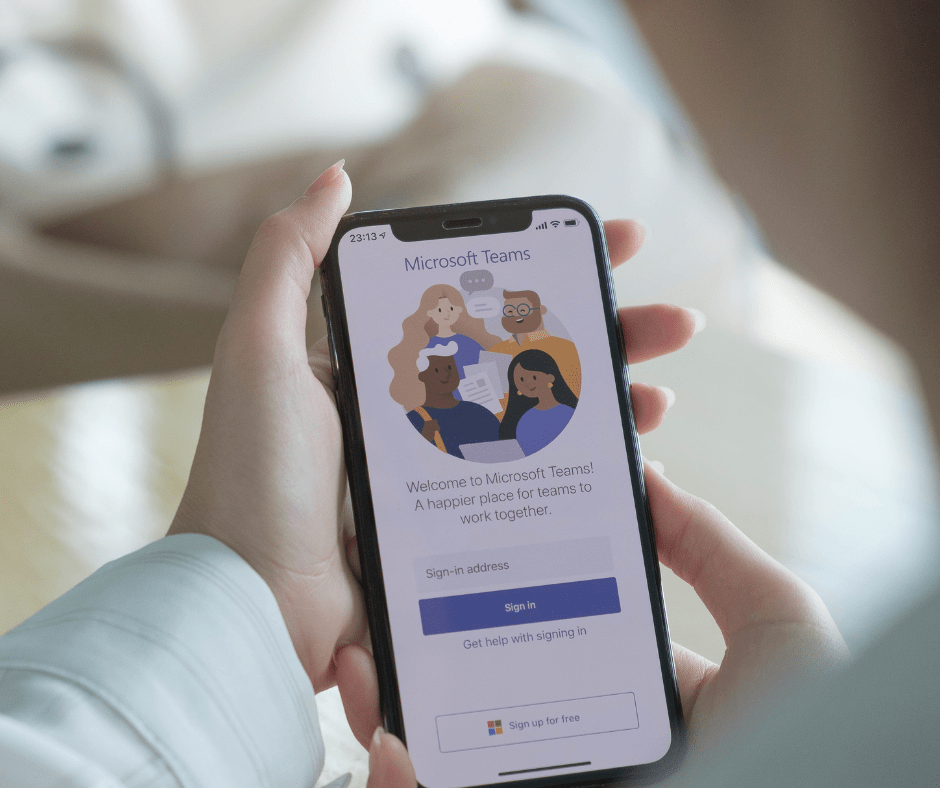
    Until the recent updates in Microsoft Teams, it was difficult for employees with auditory impairments to engage in voice or video calls. However, this is no longer the case. Teams now has real-time live captioning of meetings. It also includes speaker attribution, so the user can see who is speaking, and what they are saying. It is also possible to adjust the way that captions appear to further increase accessibility.  Currently, there are 34 language options supported, with more to come in the future.

    Eye Control

    In Windows 10 and 11, employees with an eye tracker can navigate the operating system and applications, using an on-screen keyboard and mouse, using only their eyes. There are now many eye-trackers available on the market, and it doesn’t take long to calibrate and set up the solution and it can the be used by employees.

    Voice Typing

    For those that use Eye Control, but don’t want to use the onscreen keyboard, Microsoft has a powerful speech-to-text tool for Word, Outlook and PowerPoint. The Dictate tool also supports dictation in 20+ languages with real-time translation into 60+ languages. For voice typing large documents and emails, there is an auto-punctuation feature.

    Vision Ease of Access

    Microsoft has always had a suite of vision ease of access settings, including high contrast modes, magnifiers and colour filters for individuals with colour blindness. Whilst these tools are helpful, ideally, documents, emails, and files should be sent with a design that passes accessibility guidelines. This is possible with the Accessibility Checker in all Microsoft Office applications this can be found under the Review tab. This gives suggestions on how to make the file more accessible, with automated actions to resolve any issues.

    Minimise Distractions

    Employees who are neurodivergent may have different requirements when it comes to working in a distraction-free environment. This includes not only the physical workplace but also the digital workplace. Windows offers many ways to limit distractions to make it easier for employees to focus on the task at hand. This includes features such as turning off animations, simplifying the start menu, limiting notifications, better reading layouts with Immersive Reader and more.

    Want to find out more?

    It has been positive to see how Microsoft has made changes to their applications and operating system. As well as introduced new tools to improve accessibility in the workplace. It is important that businesses stay up to date with these features, so they can support employees, regardless of their accessibility needs. If you want to find out more about these features, contact us today.
  • What is the difference between OneDrive and SharePoint?

    What is the difference between OneDrive and SharePoint?

    OneDrive

    OneDrive and SharePoint are both applications that use the cloud to store your data and files. By using applications, such as OneDrive and SharePoint, collaboration is increased in the workplace. Your employees can work flexibly from any location as files can be shared and edited across your devices.

    But you may ask yourself, what’s the difference? Should I use OneDrive, or should I use SharePoint? In this blog we will discuss what both applications are and their differences.

    OneDrive stores your files and documents in the cloud, giving you access to all of your work files, including files that people have chosen to share with you directly. OneDrive provides a consistent, intuitive files experience across all your devices, including web, mobile and the desktop of your PC or Mac (Microsoft,2022).

    In short, OneDrive acts as an online folder system for file storage. OneDrive is typically used by individuals and business teams who need a central location to store and access files. You can distinguish between personal and work versions of the tool. This allows you to get the most out of OneDrive for your business.

    Whereas SharePoint includes a range of features such as collaboration and dashboards. SharePoint allows you to manage and protect your files, powering content collaboration across Microsoft 365. It is a collaboration tool for businesses that need multiple individuals and teams to work on documents at the same time (Technology Advice, 2022). SharePoint can be purchased as an on-premises solution or can be used through your Microsoft 365 subscription.

    OneDrive features include cloud-based storage, comments and mentions, and mobile document scanning. Whereas, SharePoint includes cloud-based storage, on-premises storage, collaborative documents, and a shared assets library. Both applications use cloud-based storage which is great for businesses that need easy mobile access or businesses with a large workforce.

    By investing in Microsoft 365 you can take advantage of both OneDrive and SharePoint. Microsoft 365 allows you to make use of cloud-based applications, with the added benefit of Microsoft handling your software updates.

    Microsoft 365 offers a range of applications from Teams to Exchange, as well as OneDrive and SharePoint. At The Unite Group, we are Microsoft Partners meaning we can help you pick the appropriate subscription for your business. We can also deliver a seamless migration plan, making your move to Microsoft 365 easy for you and your staff.

    If you are interested in migrating your business to Microsoft 365, so you can use applications such as OneDrive and SharePoint, then enquire today! Call us on 0191 466 1050 or email us on info@theunitegroup.co.uk.

  • What is the value of Managed IT Services?

    What is the value of Managed IT Services?

    Managed IT Services

    Companies choose to make use of Managed IT Services when they would like to outsource their IT to a third-party business.

    At The Unite Group, we understand that your Managed IT Services need to be reliable, they need to meet your business needs and more importantly, they need to be cost-effective.

    By outsourcing your Managed IT Services to The Unite Group, you put the responsibility in our hands and allow yourself to focus on doing what you love!

    So, what do our Managed IT Services include?

    IT Support

    Our Managed IT Services include remote and on-site IT Support. If you PC fails, or you can’t access your emails – our expert engineers are ready to provide you with the support you need to get back online.

    We run automatic tests and repairs whilst you work, meaning you won’t notice some of the near misses you’ve swerved.

    If there is ever a time you do need our help, we are just a phone call away. We can also provide on site or out-of-hours support where necessary.

    You can contact our expert team by raising a ticket or giving us a call. Our Help Desk Engineers can access your PC remotely and can provide immediate solutions.

    Microsoft 365

    Here at The Unite Group, we can support your business move to Microsoft 365. Microsoft 365 is a suite of apps that help you stay connected and get things done (Microsoft, 2022).

    The Unite Group are Microsoft Partners, meaning you can be sure that your Microsoft licenses are being managed by fully qualified engineers.

    Microsoft 365 provides your company with a range of applications which promotes flexibility, productivity, and collaborative working.

    All businesses are unique and have different needs, therefore we support our customers to pick the appropriate subscription products to suit their business’ requirements.

    Managed Backup Services

    Managed backups are the only product that can stand between your business and a complete loss of data.

    We can fully manage your backups, ensuring that your data is safe and secure. Your backups are monitored meaning we can always be sure they are up to date and successful.

    Backups are safely stored and monitored in the cloud. And on the chance that you require extra security, we can store an off-site copy in our secure data-centre.

    Business Continuity

    Could your business cope with being offline for a day or more whilst your data is recovered from your backups? If your answer is no, then you need a business IT continuity solution!

    We can replicate all your servers and important data, in a secure cloud environment. The replications can be made available to you within an hour, in the event of an outage.

    Our Managed IT Services can provide you with a full IT solution to your business, which reduces your in-house overheads.

    We increase your IT efficiency at an affordable, monthly cost. And we price per user rather than device, allowing your staff to work across a number of devices.

    If Managed IT Services is something you are considering for your business, then give us a call on 0191 466 1050 or email us on info@theunitegroup.co.uk to discuss how we can help your business.

  • Haven’t called your IT Provider recently? Good!

    Haven’t called your IT Provider recently? Good!

    IT Provider

    If you’re a business owner, you will know that to keep your business running smoothly, you need an efficient IT provider the same way you need your gas and electric – it is essential.

    Your IT provider needs to supply your business with efficient and affordable IT solutions, which allows you to focus on your own business goals.

    However, you may question if you haven’t heard from your IT Provider, is it worth the money? Do I need Managed IT?

    The answer to both is YES.

    Keeping your business running smoothly

    Here at The Unite Group, we know that your IT systems need to be reliable, meet your business needs and more importantly, they need to be cost-effective.

    When you choose The Unite Group as your IT Provider, you gain access to unrivalled support from our expert engineers.

    Our systems run automatic tests and repairs whilst you work, meaning you won’t notice most of the near misses you’ve swerved.

    So, if you haven’t had to call us – great! But on the rare occasion that you do, our expert team are just a phone call away.

    Our team can provide both remote and on-site support for your business. Meaning you can leave your IT in our safe hands.

    Our remote systems allow us to provide immediate solutions from our head offices, connecting to your PC and helping you to return to your working day with ease.

    Cost effective service

    We understand that your IT provider needs to be trustworthy and more importantly, affordable!

    By outsourcing your IT services to The Unite Group, we can reduce your in-house overheads and increase your IT efficiency at an affordable, monthly cost.

    We do so by charging per user rather than device. Here at The Unite Group, we are aware that work isn’t always fixed to the office. By charging per user rather than device your employees can work flexibly from any location.

    This means your staff can be supported by an efficient IT provider without the added costs.

    High class service

    Our engineers are trained to provide your business with a high standard of service. Making us a leading national IT provider.

    Excellent customer service is at the heart of everything that we do.

    We always aim to ensure our customers leave the phone call feeling secure that their Managed IT is kept in safe hands.

    Our engineers are both responsive and reliable. If there is ever a time where an issue occurs, they are simply a phone call away.

    The aim is that you hear from us as little as possible. We will keep your IT running smoothly so you can focus on your business.

    We make the perfect team.

    If you would like to find out more about how we can work with your business to provide seamless IT solutions. Get in touch today!

    Contact us on 0191 466 1050 or email us on info@theunitegroup.co.uk.

  • How we deliver excellent customer service with our IT services

    How we deliver excellent customer service with our IT services

    IT Services

    Not only do you rely on your IT services to maintain your IT systems and solve issues, but you also expect a certain level of customer service. Well, here at The Unite Group we go above and beyond with our customer service. We ensure the delivery of an excellent service with every call, interaction, and on-site visit, and here is how!

    We Strive to Prevent Issues

    We know that many businesses see IT Support and Managed IT Services as a service you ring when there is an issue. However, at The Unite Group we would expect you to be making minimal calls for issues with us as this means we are doing our job correctly. We are not just simply here to fix issues; we are here to prevent them from ever occurring. That’s why we:

    • Proactively maintain and monitor your IT systems to prevent issues.
    • Regularly update applications in the background
    • Proactively patch hardware and software to fix vulnerabilities
    • Plan out of hours maintenance to keep your devices up to date and protected
    • Install remote management tools to enforce best practices on devices

    This allows us to ensure that we are doing everything in our capacity to keep your IT systems running smoothly, providing excellent customer service with our IT services.

    Knowledgeable, Trained Engineers

    Another way in which we strive to deliver excellent customer service throughout our IT offering is with our team of experienced engineers! Our engineers are both honest and reliable and are on hand to provide you the highest standard of service. This is because we know how important it is for you as business owners to feel secure in the knowledge that your IT is kept in safe hands.

    Our engineers undergo continuous professional development to build knowledge on latest technologies and better yet are just a phone call away when you need them! Available from 8:30am until 5pm our engineers can support you over the phone, remotely via your own PC or can visit on-site.

    Furthermore, as Microsoft Partners, we can advise on which best migration strategies are best suited for your customer environment when moving to Microsoft 365. We have access to a highly skilled team of experienced Office 365 consultants who have the technical skills to fully define a detailed migration plan as part of our IT services.

    We can advise you on the potential deployment and migration scenarios available to you as well as help you understand the impact these decisions will have on your business. All so you can make an informed decision on what is best for your specific business needs.

    Strategy and Planning

    When you are a customer with The Unite Group, we strive to ensure that your IT services are planned to your business’ goals, taking into consideration your timescales and cost planning. We do this by planning quarterly IT meetings to identify where improvements can be made. In our quarterly meetings, we will discuss technology recommendations that can help grow and benefit your business and adapt your services accordingly. As well as discussing cyber security to help safeguard and protect your business. And finally, reporting and visibility of employee experience to provide insights for improvement, allowing us to deliver excellent customer service!

    If you are considering placing your outsourced IT support services with The Unite Group or would like to know more, book your free consultation today. You can give us a call on 0191 466 1050 or emailing us on info@theunitegroup.co.uk. Check out our social media for more updates and tips!

  • Five things you might not know about our Business IT Support

    Five things you might not know about our Business IT Support

    Business IT Support

    Here at The Unite Group, we provide IT solutions to support your business. Our Business IT Support is fast, reliable, and intuitive.

    We support our clients from the beginning, ensuring that our services fit the needs of your business.

    Our Business IT Support is unrivalled and is here to act as an IT solution for your business.

    We can procure your hardware

    When we are working with our clients, we understand that you may not have the appropriate hardware for the services that you require. You may need an updated PC or tablet.

    The best part is we can take the stress away and procure the hardware on your behalf. We can provide the resource and service to act as a full IT solution for your business.

    Price per user rather than device

    Our Business IT Support is charged per user rather than device. This means your employees can work across multiple devices without the additional cost.

    There are no limits on the number of devices that your employees have, which increases both flexibility and productivity for your staff.

    Our per user billing is charged at an affordable, monthly cost making it easier for your business to budget month on month.

    Unrivalled, remote support

    We understand how important it is for you to feel confident in your Business IT Support provider. Which is why our engineers undergo continuous professional development to ensure they are always best prepared with up-to-date technical knowledge.

    Our Engineers are available from 8:30am until 5:00pm to provide IT support either over the phone or on-site. Our Help Desk Engineers can remotely access your IT and troubleshoot any issues that may arise with no down time. Out-of-hours support is also available.

    We are Microsoft 365 partners

    Here at The Unite Group, we are Microsoft 365 partners. Our Business IT Support includes the option to migrate your business to Microsoft 365.

    We understand that each business has different needs, which is why we help our customers pick the appropriate subscription packages for their business.

    By migrating to Microsoft 365, your employees can work both flexibly and collaboratively from any location.

    Strategic Planning

    We strive to ensure that your IT services are planned to your business’ goals, taking into consideration your timescales and cost planning. To do so, we will plan quarterly IT meetings to identify where improvements can be made.

    In our quarterly meetings, we will discuss technology recommendations that can help grow and benefit your business and adapt your services accordingly. As well as discussing cyber security to help safeguard and protect your business.

    If you are thinking of outsourcing your Business IT Support, then give us a call on 0191 466 1050 or email us on info@theunitegroup.co.uk.

  • What steps can be taken to prevent issues for IT Help Desk staff?

    What steps can be taken to prevent issues for IT Help Desk staff?

    IT Help Desk

    Here at The Unite Group, our IT Help Desk staff are on hand to help you with any issues regarding our Managed IT Services.

    Our Managed IT Services are fast, reliable and intuitive.

    By outsourcing your IT Services to The Unite Group we can reduce your in-house overheads, increase your IT efficiency and provide consistent support from our IT Help Desk.

    Our IT Help Desk is open from 8:30am until 5:00pm to provide support over the phone or on-site.

    The engineers can access your IT remotely from our IT Help Desk and troubleshoot any issues that may arise.

    However, there are a few things that you can do to prevent any potential future issues arising.

    Two-factor or multi-factor authentication

    Having two-factor or multi-factor authentication adds layers of cyber security to your devices.

    Two-factor and multi-factor authentication require you to enter additional passcodes to identify the user.

    This prevents hackers from accessing your accounts and confidential information.

    If one of our customers has multi-factor authentication it is unlikely that the IT Help Desk will receive a call suspecting that their accounts have been compromised.

    It is also beneficial to use strong passwords. We advise customers to have a password that is between 8 and 64 characters with a mix of upper and lower-case letters, numbers and special characters.

    Having a strong password that is changed at least once a year will also prevent your accounts from being compromised.

    Keeping on top of your updates

    Faults and attacks can occur if you don’t keep your software and devices up to date.

    Some faults such as being unable to connect to a VPN and being unable to print can all be down to Windows updates not being completed.

    Many harmful malware attacks take advantage of software vulnerabilities due to software not being updated.

    If software and plug-ins are updated regularly it is more unlikely that the IT Help Desk will have to solve problems such as the ones above.

    Check your cables are fully connected

    Although this may seem obvious, some issues may arise due to cables not being connected properly.

    Sometimes our IT Help Desk receive calls regarding a PC not booting or connecting to the internet.

    If your PC isn’t booting, make sure all your cables are connected properly including the power cable.

    If all cables are connected, unplug the power lead, and hold the power button in for 30 seconds to clear the cache and then reconnect the power lead and try and boot again.

    For any connection issues, check that your network cable and Wi-Fi is connected. If you have no connection still, then check with your colleagues.

    If all your colleagues have the same issue, then it is a full outage or a localised issue. Contact our IT Help Desk and they can troubleshoot further.

    How our IT Help Desk can help your business

    By taking the small steps above you can prevent some IT issues from occurring during your working day.

    However, our IT Help Desk is open to help with any queries whenever you need it.

    Our engineers are friendly, supportive, and ready to provide expert advice for our customers.

    Our customers can receive unrivaled support. By raising a ticket to our systems and their questions are answered in a timely manner.

    If you are considering outsourcing your managed IT services, give us a call on 0191 466 1050 or email us on info@theunitegroup.co.uk to find out more.

  • Office 365 Hacks that could benefit your business

    Office 365 Hacks that could benefit your business

    Office 365

    Office 365 is a suite of apps that help you stay connected and get things done.

    Microsoft Office 365 allows you to connect with colleagues, work remotely and collaboratively from any device or location.

    Most will know about the benefits of SharePoint and Teams for your business.

    However, we have gathered our top Microsoft Office 365 hacks that can increase your productivity during your working day.

    On a daily basis, we share important files and documents that may need edited or added to by our colleagues.

    Office 365 allows you to upload your file to the cloud storage and share it using Outlook.

    This automatically grants edit permission to those you are emailing, allowing the document to be edited and saved by users.

    #2 You can add signatures to your emails

    Outlook is compatible with free electronic signature apps, such as, DocuSign.

    This allows you to avoid the process of printing, signing and scanning in both an efficient and timely manner.

    Adding your electronic signature gives a sense of professionalism without the added time spent on it.

    #3 The 3D Map

    Microsoft Excel allows you to convert rows of data into images and graphs.

    If your data is geographic in nature, Power Map has the facilities to turn the data into a 3D map.

    This works great for that all important meeting or presentation!

    #4 Declutter your inbox with Outlook 

    We are all guilty of putting our emails into email lists for a 20% discount code here and there or handing out your business card to enter a competition.

    And we always regret it later! However, filtering out these emails is easy when turning on the Clutter feature in Outlook.  

    Outlook will pay attention to which emails you read and leave unopened and will filter low-priority emails into your ‘Clutter’ section once it understands your preferences.

    Allowing you to focus on work and ignore the online shopping! 

    #5 Use OneNote to keep you organised 

    Office 365 can keep you organised! Are you the kind of worker that has notes across your diary, planner, sticky notes etc? OneNote allows you to keep your notes and to-do lists all in one place! 

    #6 Get Creative with Sway 

    Not everyone has a marketing team to help them out with that big presentation that they are working on. So, if you are struggling with creativity – use Sway to help you out!

    Sway provides you with a number of templates, photos and bonus features to accelerate your content.  

    Office 365 has so many features that you may not even realise come with your package! Here at The Unite Group, we understand that every company has different requirements.

    We help our customers make an informed decision on the right subscription products to fit their business’ needs.  

    If you are considering the move to Office 365, we can create a seamless migration plan for your business.

    If you would like to discuss Microsoft Office 365 further give us a call on 0191 466 1050 or email us on info@theunitegroup.co.uk