We’re back with our monthly Newsletter to keep you up-to-date with everything that has been going on here at The Unite Group throughout the past month.
In this newsletter: Flipping to Glory – our client North East Gymnastics Academy becomes British Champions, Network+ announces their next networking event, we spotlight our client Mistral House, our Digital Marketing team visit Michelangelo’s for a content day, we offer a FREE webinar to our customers, and learn more about how to elevate your teams communication & collaboration.
To read The Unite Group’s August Monthly Newsletter, click on the image below!
In today’s interconnected business landscape, communication forms the bedrock of success. The advent of remote work and the need for fluid interactions have given rise to innovative solutions. One such solution is Voice Over IP (VoIP) with Microsoft Teams, a game-changing technology that transcends geographical boundaries and enhances collaboration.
In this article, we’ll explore the transformative power of VoIP within the Microsoft Teams ecosystem and how it’s reshaping the way businesses communicate.
The Essence of VoIP with Microsoft Teams
Voice Over IP, often referred to as VoIP, leverages internet connectivity to facilitate voice communication. Microsoft Teams, a comprehensive collaboration platform, has seamlessly integrated VoIP capabilities into its suite of features. This integration allows users to make and receive high-quality voice calls directly within the Teams application, eliminating the need for traditional phone systems. The result is a unified communication hub where teams can effortlessly transition from messaging to voice calls, driving productivity and collaboration.
Breaking Geographical Barriers
The geographical limitations that once constrained communication are fading away with VoIP and Microsoft Teams. With VoIP, distance becomes irrelevant. Team members spread across different cities or even countries can communicate as if they were in the same room. This is particularly significant for businesses with global operations or remote teams, as VoIP fosters a sense of closeness that transcends physical locations.
Cost-Effective Communication
Traditional phone systems often come with substantial setup and maintenance costs. VoIP with Microsoft Teams revolutionises cost structures by leveraging existing internet connections. There’s no need for intricate hardware installations or separate phone lines. Therefore, this not only reduces upfront expenses but also leads to significant long-term savings. VoIP offers a budget-friendly approach to communication without compromising on quality.
Seamless Collaboration
Collaboration thrives on fluid communication. VoIP seamlessly integrates with Microsoft Teams’ collaboration features, creating a comprehensive workspace for teams. Users can initiate voice calls from chat conversations or escalate a messaging thread to a call, all within the same platform. This synergy between VoIP and collaboration tools eliminates the hassle of switching between applications, ensuring a seamless flow of ideas and discussions.
Flexibility in Communication
VoIP with Microsoft Teams offers a new level of flexibility in communication. Users can switch between voice and video calls, depending on the context of the conversation. For instance, a quick query might be better suited for a voice call, while a detailed project review could benefit from video conferencing. This adaptability enhances the quality of interactions, making conversations more engaging and productive.
Enhanced Mobile Experience
Additionally, in today’s fast-paced world, business communication often extends beyond the office walls. VoIP with Microsoft Teams caters to this reality by offering a robust mobile experience. With the Teams mobile app, users can make and receive VoIP calls on their smartphones or tablets. This untethers communication from the desktop, allowing team members to stay connected, whether they’re in transit, working remotely, or out of the office.
Integration with Productivity Tools
The power of VoIP amplifies when integrated with other productivity tools. Microsoft Teams’ integration with Microsoft 365 applications ensures that calls can be made directly from tools like Outlook or SharePoint. This seamless connection enhances productivity by reducing the steps needed to initiate a call. Whether it’s scheduling a call through a calendar invitation. Or reaching out to a colleague from a project document, VoIP simplifies communication workflows.
Enhanced Security and Management
Moreover, security is a paramount concern in business communication. Microsoft Teams prioritises security by implementing encryption and multi-factor authentication for VoIP calls. IT administrators also benefit from centralised management and monitoring tools, which ensures that communication remains secure and compliant with organisational policies.
Conclusion
In conclusion, Voice Over IP with Microsoft Teams is not just a technological advancement; it’s a paradigm shift in how businesses communicate and collaborate. The synergy between VoIP and Teams’ collaboration features creates a dynamic environment. Where communication transcends boundaries, costs are optimised, and flexibility thrives. As businesses continue to adapt to evolving work dynamics, embracing VoIP with Microsoft Teams becomes a strategic move toward enhanced communication and productivity.
Empower your teams with the ability to connect effortlessly, collaborate seamlessly, and drive success through the transformative power of Voice Over IP with Microsoft Teams. Contact our team today to find out more! 0191 466 1050
Maintaining seamless IT operations is paramount for any successful business. A single glitch or downtime can lead to significant financial losses and a dent in customer trust. This is where managed IT services come into play. With our proactive approach and comprehensive strategies, these services effectively reduce IT downtime and keep your business running smoothly.
In this blog, we will explore how managed IT services, with their focus on preventative maintenance, can significantly minimise downtime and its associated woes.
Reduce IT Downtime: The Importance of Proactive Measures
When IT systems fail, the consequences can be far-reaching and detrimental. From halted productivity to missed opportunities, the repercussions of IT downtime can be severe. To address this challenge, businesses are turning to managed IT services to not only react to problems but to prevent them from arising in the first place.
Proactive Monitoring and Maintenance
Managed IT services employ proactive monitoring tools that continuously track the health of your IT infrastructure. By keeping a vigilant eye on your systems, potential issues are identified and addressed before they escalate into major problems. This approach, therefore, ensures that IT downtime is minimised, as potential pitfalls are nipped in the bud.
Regular Updates and Patch Management
Outdated software and applications are breeding grounds for vulnerabilities that can lead to downtime. Managed IT services tackle this issue by implementing regular updates and patch management. By staying current, your systems are fortified against security breaches and technical glitches that can cause extended periods of downtime.
Strategic Data Backups
Data loss is a nightmare scenario for any business. Managed IT services tackle this concern by implementing strategic data backup plans. These services ensure that your critical data is regularly backed up and can be restored swiftly in the event of an unexpected failure. With redundant copies of your data, downtime caused by data loss is effectively reduced.
24/7 Helpdesk Support
When technical issues arise, quick and efficient support is crucial. Managed IT services provide round-the-clock helpdesk support, ensuring that your employees have access to assistance whenever they need it. Whether it’s a minor glitch or a major system failure, immediate support can significantly reduce the downtime associated with IT problems.
Minimising Human Error
Human error is a leading cause of IT downtime. Managed IT services work to mitigate this risk through training and education. By ensuring that your employees are well-versed in best practices and cyber security protocols, the likelihood of errors that lead to downtime is substantially reduced.
Predictive Analytics for Early Detection
Managed IT services utilise predictive analytics to identify potential issues before they manifest. By analysing historical data and patterns, these services can predict when certain systems or components are likely to fail. This early detection allows for proactive intervention, reducing the downtime caused by unexpected failures.
Conclusion
In conclusion, the role of managed IT services in reducing IT downtime cannot be overstated. Their proactive approach through continuous monitoring, regular updates, strategic backups, and quick support ensures that your business experiences minimal disruptions. By addressing potential problems before they escalate, these services keep your IT infrastructure robust and reliable. So, if you’re looking to safeguard your business from the damaging effects of IT downtime, embracing managed IT services is a strategic choice that can keep your operations running smoothly and efficiently.
Incorporating managed IT services into your business strategy goes beyond mere troubleshooting; it’s about paving the way for uninterrupted productivity, enhanced security, and improved customer satisfaction. With the right preventative measures in place, the specter of IT downtime becomes a thing of the past, and your business can focus on what truly matters: growth and success.
Here at The Unite Group we can provide Managed IT Support from as little as £25 a month per user, this includes all of the preventative measures detailed above, to learn more, click here or alternatively contact us today on 0191 466 1050.
For all businesses, effective communication is the cornerstone of success. With remote work becoming more prevalent, the need for seamless and efficient collaboration tools has never been greater. Microsoft Teams, a leading platform in this domain, offers a robust solution that combines cloud hosted phone systems and team calling to enhance communication.
In this article, we’ll delve into how Teams Calling is transforming the way teams communicate, collaborate, and achieve their goals.
The Power of Teams Calling
Enhancing communication with Teams Calling brings a multitude of benefits that elevate team collaboration. With Teams Calling, users can effortlessly make and receive calls directly within the Microsoft Teams app. This integration streamlines the communication process by consolidating all interactions, messages, and calls in one centralised platform. The result? A more organised and efficient workspace where teams can effortlessly switch between messaging, video conferencing, and voice calls.
Seamless Integration and Accessibility
One of the standout features of Teams Calling is its seamless integration with the broader Microsoft 365 ecosystem. This integration enables users to initiate calls from various applications, such as Outlook or SharePoint, without the need to switch between different platforms. The accessibility of Teams Calling ensures that communication remains uninterrupted, regardless of the tasks at hand.
Empowering Remote Collaboration
Remote work has become a norm for many businesses, and Teams Calling addresses the unique challenges associated with distance and diverse time zones. The ability to make high-quality voice and video calls fosters a sense of virtual presence, making it feel as if team members are working side by side. Whether it’s a quick clarification or an in-depth project discussion, Teams Calling enables real-time interactions that drive collaboration forward.
Enhanced Productivity
Teams Calling goes beyond traditional phone systems by offering features that boost productivity. Features like call forwarding, voicemail transcription, and integration with Microsoft AI services allow teams to work smarter. Voicemail transcription, for instance, converts voicemails into text, making it easier to quickly scan and prioritize messages. These productivity-enhancing features free up time for teams to focus on what truly matters – achieving their goals.
Efficient Call Management
Teams Calling empowers users with tools for efficient call management. The platform provides options to set up call queues, auto attendants, and call routing based on availability. This ensures that calls are directed to the right team members, improving customer service and response times. The ease of configuring these features within the Teams interface eliminates the need for complex technical setups, making it a win-win for both IT administrators and end-users.
User-Friendly Experience
Complexity can hinder adoption, but Teams Calling stands out with its user-friendly interface. The intuitive design means that team members can quickly adapt to the platform, minimising the learning curve. Initiating a call, transferring calls, and adding participants to a conversation are straightforward actions that can be accomplished with just a few clicks. This simplicity ensures that teams can harness the full potential of Teams Calling without any unnecessary barriers.
Security and Reliability
Communication security is paramount, especially when sensitive information is being exchanged. Microsoft Teams addresses this concern by implementing robust security measures to safeguard conversations and data. With end-to-end encryption, multi-factor authentication, and compliance certifications, Teams Calling provides a secure environment for confidential discussions.
In conclusion, enhancing communication with Teams Calling revolutionises how teams collaborate, regardless of their physical locations. The seamless integration, remote collaboration capabilities, enhanced productivity features, efficient call management tools, and user-friendly experience all contribute to a more connected and effective workspace. As businesses continue to adapt to changing work dynamics, embracing the synergy between cloud hosted phone systems and Teams Calling will undoubtedly elevate team collaboration to new heights.
Remember, successful teams are built on a foundation of effective communication. With Microsoft Teams Calling, you’re not just making calls – you’re fostering collaboration, innovation, and success. As a certified Microsoft partner & cloud hosted phone system provider, we can integrate teams calling into your workplace.
In today’s interconnected world, the importance of Cyber Essentials cannot be overstated. As businesses continue to rely heavily on digital technologies and online platforms, the need for robust cyber security measures has never been greater.
Why Cyber Essentials Matter
The importance of Cyber Essentials lies in its role as a foundational framework for safeguarding sensitive data and maintaining the integrity of digital operations. In a landscape rife with ever-evolving cyber threats, having a solid defence strategy is paramount. Cyber Essentials provide a structured approach that helps organisations of all sizes fortify their digital infrastructure. To learn more about the Cyber Essentials scheme, click here.
Streamlined Protection
The importance of Cyber Essentials lies not only in its comprehensiveness but also in its adaptability to different industries and sectors. This framework doesn’t impose a one-size-fits-all solution. Instead, it offers a set of fundamental principles that can be tailored to an organisation’s specific needs. This flexibility ensures that businesses can focus their efforts on areas that are most vulnerable to attacks. Thus optimising their defence mechanisms.
Risk Mitigation
One cannot emphasise enough the importance of Cyber Essentials in risk mitigation. Cyber threats can disrupt operations, compromise customer trust, and lead to financial losses. By adhering to the principles of Cyber Essentials, companies can identify potential vulnerabilities, assess risks, and implement measures to reduce the likelihood of successful cyberattacks.
Regulatory Compliance
The importance of Cyber Essentials extends beyond proactive defence; it also aligns with regulatory requirements. Many industries are subject to cyber security regulations that mandate a certain level of protection for digital assets. Cyber Essentials provide a clear roadmap for meeting these obligations, ensuring that businesses not only enhance their security posture but also remain compliant with relevant laws.
Cyber Insurance Eligibility
In an era where cyberattacks can have devastating financial implications, the importance of Cyber Essentials is evident in its influence on cyber insurance eligibility. Insurers often view organisations that have obtained Cyber Essentials certification as lower-risk entities. This perception can lead to more favourable insurance premiums and terms, offering an additional layer of financial protection.
Consumer Confidence and Reputation
Maintaining consumer confidence is a vital aspect of business success. The importance of Cyber Essentials is evident when considering how it contributes to building and preserving trust among customers. Informed consumers are increasingly cautious about sharing their data with companies that lack robust cyber security measures. By demonstrating a commitment to Cyber Essentials, businesses can enhance their reputation and attract security-conscious customers.
Global Competitiveness
In today’s global marketplace, the importance of Cyber Essentials transcends borders. Companies that prioritise cyber security by implementing the principles of Cyber Essentials position themselves as trustworthy partners for international collaborations. This not only opens doors to global opportunities but also establishes a competitive edge in an interconnected world.
Staying Ahead of Emerging Threats
The importance of Cyber Essentials becomes even more pronounced as cyber threats continue to evolve in sophistication and scale. While traditional security measures may offer some level of protection, they might not be sufficient to counter the latest tactics employed by cybercriminals. Cyber Essentials emphasise continuous improvement and staying updated with emerging threats, ensuring that businesses are well-prepared to tackle new challenges.
Conclusion
In conclusion, the importance of Cyber Essentials cannot be emphasised enough. From bolstering security measures to enhancing consumer trust, regulatory compliance to global competitiveness, the benefits are vast and far-reaching. As the digital landscape evolves, Cyber Essentials provide a steadfast foundation upon which businesses can build a strong digital defence, safeguarding their operations, data, and reputation in an increasingly complex and interconnected world.
In today’s fast-paced business landscape, effective communication lies at the heart of success. As organisations strive to connect teams across diverse locations and time zones, traditional conference calls are quickly giving way to a more flexible and dynamic solution: cloud calls. This revolutionary approach to team communication is reshaping the way businesses collaborate, enabling seamless interactions and improved productivity.
In this blog post, we will delve into the concept of calling with cloud-hosted telephony and how they are transforming team communication dynamics.
Understanding Cloud Calls: The Basics
Cloud calls, also known as cloud-hosted phone systems, are a modern communication solution that leverages cloud technology to facilitate voice calls, video conferencing, and team collaboration. Unlike traditional conference calls that often require specialised hardware and complex setups. Cloud calls operate over the internet, making them easily accessible to teams regardless of their physical locations. This accessibility, therefore, eliminates the need for participants to be in the same room or even in the same country. Enabling real-time communication without geographical constraints.
Seamless Integration and Flexibility
One of the key advantages of cloud calls is their seamless integration with various devices and platforms. Whether you’re using a smartphone, tablet, laptop, or desktop computer, cloud calling can be accessed through dedicated apps or web browsers. This flexibility empowers teams to connect from their preferred devices. This also ensures that important discussions and decisions can take place anytime, anywhere.
Enhanced Collaboration Features
Cloud calling offers a host of collaboration features that elevate team communication to new heights. Screen sharing, document sharing, and virtual whiteboards are just a few examples of tools that enable teams to work together in real-time, even when they are miles apart. This level of interactivity fosters a sense of unity among team members. Promoting a more engaging and productive exchange of ideas.
Cloud Calls offering Cost-Efficiency and Scalability
Cloud calls are known for their reliability and uptime. Cloud-hosted phone systems are maintained by experienced service providers who ensure consistent performance and quick issue resolution. This reliability ensures that teams can engage in important discussions without the fear of dropped calls or technical glitches, leading to smoother and more productive communication experiences.
Security and Data Protection
Addressing concerns about data security and privacy, cloud calling employs advanced encryption protocols to safeguard sensitive information during transmission. Reputable cloud phone system providers prioritise data protection, complying with industry regulations to ensure that your team’s communications remain confidential and secure.
Embracing the Future of Team Communication with Cloud Calls
As businesses continue to embrace remote work arrangements and global collaborations, cloud calls are poised to become the cornerstone of modern team communication. The ability to connect instantly and effortlessly, collaborate seamlessly, and adapt to changing communication needs makes cloud calling an invaluable asset for businesses of all sizes.
In conclusion, the shift from traditional conference calls to cloud calls represents a transformative leap in team communication dynamics. The accessibility, flexibility, and enhanced collaboration features offered by cloud-hosted phone systems are reshaping the way teams interact and collaborate. As technology continues to evolve, embracing cloud calls is not just a matter of staying up to date. It’s a strategic move that can empower your team to thrive in the ever-changing landscape of modern business communication.
So, whether your team is spread across the city or across continents, the power of cloud calling ensures that distance is no longer a barrier to effective communication and collaboration. Embrace the future of team communication – embrace cloud calls.
In today’s fast-paced and technology-driven business world, companies, particularly those in the growth phase, face the challenge of managing their IT infrastructure efficiently. As operations expand and technological requirements become more and more complex, the need for robust IT support becomes crucial. While some companies choose to build an in-house IT team, others opt to outsource their IT support to specialised providers.
In this blog, we will explore the reasons why outsourcing IT support makes sense for growing companies.
Cost efficiency
One of the primary reasons why outsourcing IT support is an attractive option for growing companies is its cost-effectiveness. Building and maintaining an in-house IT team requires significant investments in recruitment, training, salaries, benefits, and infrastructure. On the other hand, outsourcing allows businesses to access skilled IT professionals for a fraction of the cost. With outsourcing, companies can avoid the burden of overhead expenses. Having access to these extra funds allows the business to allocate resources more efficiently to fuel their growth.
Access to Expertise
IT support providers specialise in offering a range of services to various clients across different industries. When companies outsource their IT support, they gain access to a pool of highly skilled and certified IT professionals with diverse expertise. This expertise extends from routine IT maintenance and troubleshooting to complex tasks such as cybersecurity, cloud management, and data analytics. Outsourcing IT support ensures businesses can constantly evolve alongside emerging technologies without the need for constant training and development in-house.
Focus on Core Competencies
For a growing company, focusing on its core competencies is essential for success. By outsourcing IT support, businesses can divert their attention and resources elsewhere. This abundance of time and resources redirected towards product development, marketing, and customer service has the potential to increase sales significantly. Outsourcing enables businesses to streamline operations and increase overall productivity, thereby accelerating their growth trajectory.
Scalability and Flexibility
As a business expands, its IT support needs can rapidly change. Scaling an in-house IT team to meet evolving requirements can be a time-consuming and costly process. In contrast, outsourcing IT support offers flexibility and scalability. Professional IT support providers can quickly adapt to changing demands and efficiently handle fluctuations in workload, ensuring that the company’s infrastructure remains reliable and responsive at all times. Whether it’s handling temporary IT projects, onboarding new employees, or adapting to seasonal fluctuations, an outsourced IT support provider can quickly adjust the level of support to match the company’s demands.
Proactive Maintenance and Enhanced Security
IT support providers operate on proactive maintenance models, constantly monitoring systems and networks to identify and resolve potential issues before they escalate. This approach ensures maximum uptime and minimizes downtime, contributing to increased operational efficiency. Moreover, cybersecurity is a top priority for growing companies, as they are susceptible to cyber threats due to the valuable data they possess. Outsourcing IT support allows businesses to benefit from robust security measures and access the latest cybersecurity technologies to safeguard their sensitive information.
Conclusion
In conclusion, outsourcing IT support is a logical choice for growing companies. It presents a cost-effective, scalable, and flexible solution that grants access to expert IT professionals while allowing businesses to concentrate on their core competencies. With proactive maintenance and enhanced security, outsourcing IT support ensures that companies can maintain a robust and reliable IT infrastructure, essential for their continued growth and success in today’s competitive market. As technology continues to evolve, outsourcing IT support will undoubtedly remain a strategic advantage for businesses striving to achieve their full potential.
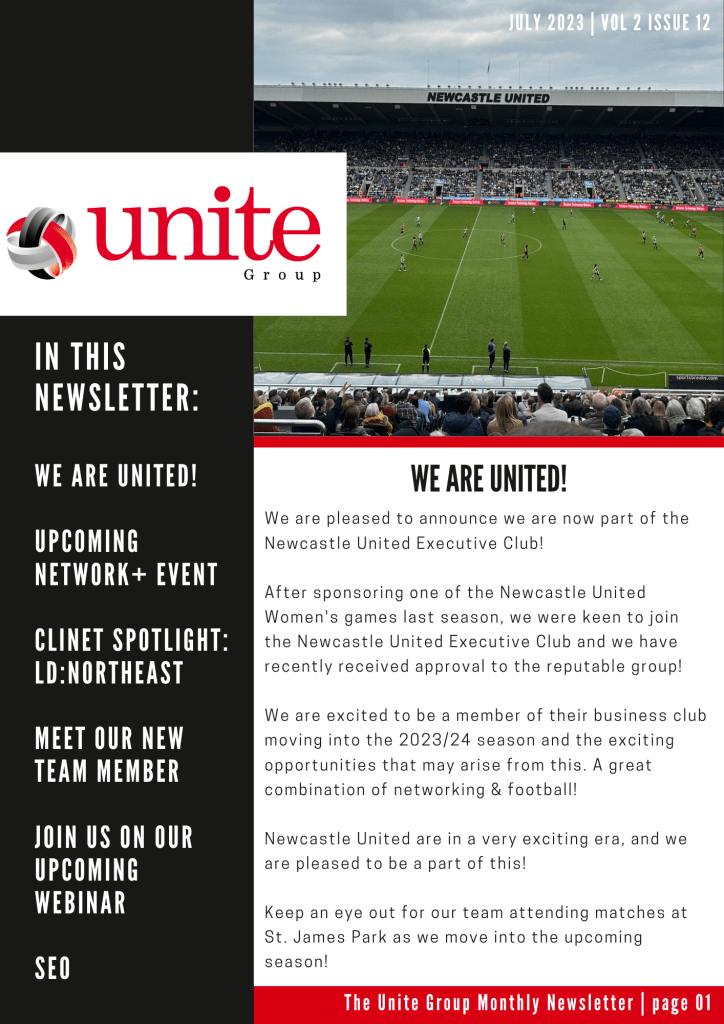
Here it is, our July Newsletter to give you an insight into everything that has been going on here at The Unite Group over the past month.
In this newsletter: We Are United! We join the Newcastle United Executive Club, Network+ announce their next networking event, we spotlight our client LD:North East, we introduce you to our latest team member, we offer a FREE webinar to our customers, and learn more about Search Engine Optimisation (SEO).
To read The Unite Group’s July Monthly Newsletter, click on the image below!
In today’s fast-paced business world, effective communication is the lifeblood of any successful organisation. Teams Calling, is a revolutionary feature within Microsoft Teams. It has emerged as a game-changer for businesses looking to streamline their communication processes. Combining the power of collaboration and cloud-hosted phone systems, Teams Calling offers a comprehensive solution that optimises productivity, enhances customer engagement, and fosters seamless teamwork.
What is Teams Calling?
Teams Calling is a feature of Microsoft Teams that enables users to make and receive phone calls directly from their Teams application. It transforms the conventional desk phone into a versatile, cloud-based communication tool. This integration allows users to consolidate all their communication channels. Such as chat, video conferencing, and phone calls, into one unified platform, simplifying their work processes.
Seamless Integration with Cloud-Hosted Phone Systems
Cloud-hosted phone systems enable employees to access their phone services from any internet-connected device. By incorporating Teams Calling into the mix, team members can make and receive calls from their computers, tablets, or mobile phones. Ensuring they stay connected, whether they are in the office or working remotely.
Cost-Effective Communication
Traditional phone systems often come with hefty setup and maintenance costs. Cloud-hosted phone systems offer a more cost-effective solution by eliminating the need for physical infrastructure. Teams Calling further optimises costs by bundling phone services with existing Microsoft 365 subscriptions, saving businesses significant expenses.
Streamlined Collaboration
Integrating Teams Calling with cloud-hosted phone systems fosters seamless collaboration among team members. With just a few clicks, users can initiate voice or video calls with colleagues or clients. Eliminating the need to switch between different communication platforms. This streamlined process enhances productivity and reduces the chance of missed messages or important calls.
Unified Communication History
Having a unified communication history is a boon for businesses. With Teams Calling, all call logs, voicemails, and call recordings are conveniently stored within the Microsoft Teams application. Team members can access this information at any time, ensuring they have a comprehensive record of their communication activities.
Advanced Features
Cloud-hosted phone systems often come equipped with a range of advanced features. Such as call forwarding, voicemail-to-email transcription, and interactive voice response (IVR) systems. By integrating these features with Teams Calling, businesses can provide better customer service, increase efficiency, and customise their communication setup to suit their unique needs.
Scalability and Integration
Cloud-hosted phone systems are highly scalable, making them ideal for businesses of all sizes. As organisations grow, they can easily expand their communication infrastructure without the need for significant investments in new hardware. Additionally, integration with existing business tools, such as Customer Relationship Management (CRM) software, further enhances the efficiency of communication and data management.
Secure Communication
Cloud-hosted phone systems offer robust security features to protect sensitive information and conversations. When integrated with Teams Calling, businesses benefit from Microsoft’s advanced security protocols. Ensuring that their communication remains secure and compliant with industry regulations.
Conclusion:
In conclusion, Teams Calling offers a powerful communication solution that seamlessly integrates with cloud-hosted phone systems. By centralising all communication channels within the familiar Microsoft Teams platform, businesses can significantly enhance productivity, streamline collaboration, and reduce costs. Moreover, the combination of Teams Calling’s advanced features and cloud-hosted phone systems’ scalability provides organisations with a versatile and future-proof solution for their communication needs.
As businesses continue to embrace digital transformation, adopting Teams Calling integrated with cloud-hosted phone systems will undoubtedly play a crucial role in driving success and staying ahead in the ever-evolving corporate landscape. Embrace the power of modern communication and experience the transformative impact it can have on your organisation’s productivity and growth.
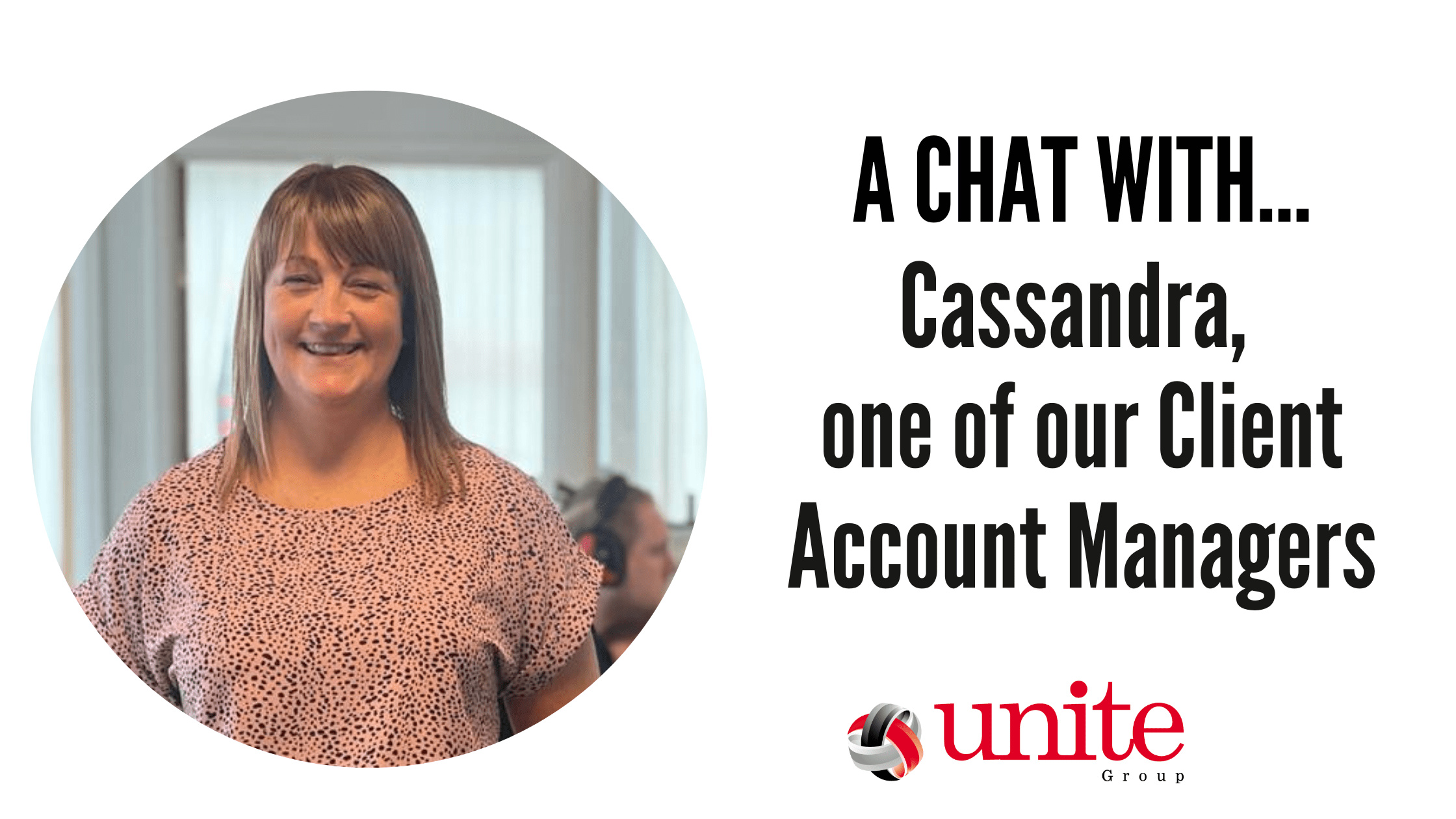
We introduce you to our latest member of the team, Cassandra. Cassandra has joined our sales team as one of our Customer Account Managers. She has fit into the team perfectly and has had a great response from many of our clients here at The Unite Group.
We recently had a chat with Cassandra to find out a bit more about her and her role…
Growing up, what did you want to be?
From studying Art and Design at college at the age of 18, I was always interested in creative hobbies and liked to sketch and doodle and had a good imagination with storytelling. I always dreamt about going into animation and working with creative people. The role I have landed in is slightly different to this, however, I am excited to see where this role takes me.
What is your role at The Unite Group and how did you end up where you are now?
My role with The Unite Group as a Client Account Manager is to develop relationships with existing and new clients. Provide high levels of customer service by reviewing their needs and understanding their business. Organising my own diary and face-to-face engagement. Promoting up-to-date information, advice, and guidance on all the company’s services and products. Sourcing new opportunities through networking and attending group memberships to raise the company’s profile.
I was looking for a new opportunity after recently being made redundant and was approached by The Unite Group after meeting and building a relationship with some of the team. I feel like I have finally found the right role for me and really excited for the future.
What does a typical day look like at The Unite Group?
My typical day at The Unite Group usually starts off with a team update, then planning the week ahead with appointments, making calls and sending emails, updating company systems, visiting clients, attending networking events, and updating social media with posts. No two days are the same and that’s what I love about my role!
What is your most and least favorite part of the job?
My favourite part of the job is meeting and talking to people as I find people very interesting. I love being able to help people and make an impact and learning new skills.
My least favourite is all the admin involved and all the systems to remember.
What is your greatest achievement?
My greatest achievement has got to be becoming a mother and raising my daughter into a caring thoughtful and polite young lady.
Where do you see yourself in 10 years’ time?
Within the next ten years, I want to travel around the world and experience new things to push myself out of my comfort zone. I also want to be successful in my job and live life to the full!
How do you unwind outside of work?
Outside of work, I like to keep fit by attending gym classes and going on long walks. I also enjoy socialising with friends. As well as going to music festivals.
If you would like to learn more about how Cassandra and The Unite Group can help you with your business technology needs, call us on, 0191 466 1050 or email us at info@theunitegroup.co.uk. Our team would be happy to discuss how our services could improve your company’s efficiency and take the headache of tech away from you.
Have you received great customer service from Cassandra or another member of our team recently? Why not leave us a Google review and let us know about the service you received!
To provide the best experiences, we use technologies like cookies to store and/or access device information. Consenting to these technologies will allow us to process data such as browsing behavior or unique IDs on this site. Not consenting or withdrawing consent, may adversely affect certain features and functions.
Functional
Always active
The technical storage or access is strictly necessary for the legitimate purpose of enabling the use of a specific service explicitly requested by the subscriber or user, or for the sole purpose of carrying out the transmission of a communication over an electronic communications network.
Preferences
The technical storage or access is necessary for the legitimate purpose of storing preferences that are not requested by the subscriber or user.
Statistics
The technical storage or access that is used exclusively for statistical purposes.The technical storage or access that is used exclusively for anonymous statistical purposes. Without a subpoena, voluntary compliance on the part of your Internet Service Provider, or additional records from a third party, information stored or retrieved for this purpose alone cannot usually be used to identify you.
Marketing
The technical storage or access is required to create user profiles to send advertising, or to track the user on a website or across several websites for similar marketing purposes.